
There’s a kind of homeowner who reads the news about doorbell cameras and quietly decides: not in my house. Not the footage of the street shared with police on request. Not the AI that learns the faces of everyone who walks past. Not the “smart home” account that owns a video record of your front door for as long as it feels like keeping it. You’re not paranoid — you’ve just done the reading. And so you go without a camera, because every option on the shelf asks you to hand your home to someone else’s server first.
That’s the problem RECAM was built to solve. Not “cheaper Ring.” No Ring. A home camera that gives you the alert, the live view, and the clip — and gives a third party nothing, because there’s no third party in the loop.
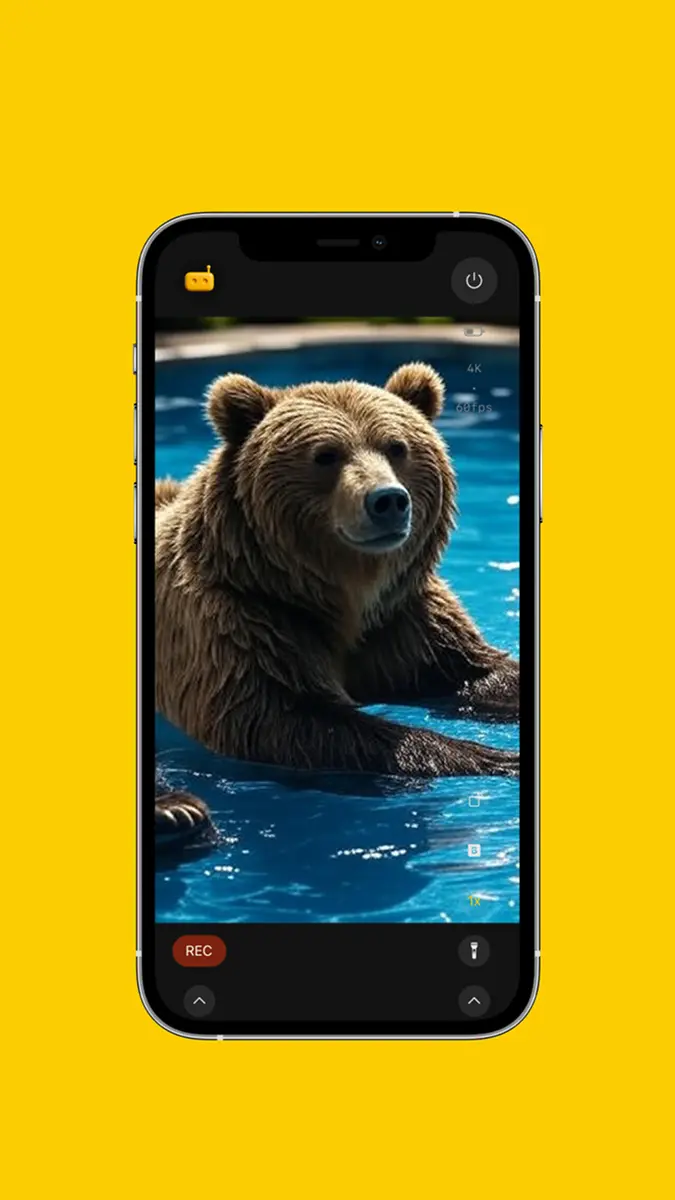
The Real Objection to Ring and Nest Isn’t Price
Plenty of people who refuse mainstream smart cameras can afford them. The objection is structural:
- Your video lives on their servers. The default mode for cloud cameras is “upload everything, store it, process it.” You’re trusting a company’s retention policy, breach history, and legal team with a continuous record of your home.
- The footage can be shared without you in the room. Doorbell-camera makers have built tooling for police footage requests. Whatever the merits, the point stands: it’s not only your decision anymore.
- Your history lives in their cloud, and you pay for it. Want to look back through saved clips? That’s a monthly plan. Stop paying, and the camera you bought forgets everything it ever saw — and the price goes up while the privacy doesn’t.
- Face recognition you didn’t ask for. Cloud cameras increasingly profile the humans in frame — your kids, your neighbours, your delivery driver — on infrastructure you don’t control.
If none of that bothers you, fair enough — Ring works. But if it does bother you, you shouldn’t have to choose between a secure home and a private one.
“But I Could Just Self-Host” — And the People Who Can’t
The privacy-minded crowd has a known answer: run it yourself. Projects like Frigate are genuinely great — local recording, local AI, nothing leaving your network, and free as in beer. If you own a Raspberry Pi or a small NUC, are comfortable with Docker, and don’t mind running a wired camera and a NAS, you should absolutely look at it.
Most people aren’t that person. They want the privacy guarantee without the home server, the Docker compose file, the camera that needs an Ethernet run, and the weekend it takes to wire it all together. RECAM is the same promise — end-to-end encrypted, with nothing stored in the cloud — packaged as an app you install in three minutes on hardware you already own.
Self-host if you love the homelab. Use RECAM if you just want the camera up by tonight.
How RECAM Watches Your Home Without Watching You
- Pick a spare phone — iPhone or Android. The one in the drawer since you upgraded. Prop it up facing your entrance, hallway, nursery, garage — wherever you want eyes. Plug it in so it runs around the clock.
- Install RECAM on both devices. The spare becomes the camera; the one in your pocket becomes the viewer. No hub, no bridge, no base station.
- They connect securely. The video stream is end-to-end encrypted — direct peer-to-peer when your network allows. When it can’t, a blind relay forwards the encrypted stream: it can move the packets along, but it can never read, store, or keep a copy of your video.
- You get a push the moment it matters. Motion, a person, a meaningful sound — your phone buzzes with a live, encrypted feed. Stray cat? Back to sleep. Someone at the door who shouldn’t be? You’re already looking at them.
That’s the whole architecture. The encryption is the privacy: even when a relay forwards your stream, it’s opaque end to end — there’s nowhere for your home to leak to.
Where Your Video Actually Lives
This is the question every privacy-first homeowner asks first, so here’s the plain answer:
- Live view: end-to-end encrypted between your two phones — direct when possible, blind relay fallback that can’t read it. Not stored anywhere by default.
- Recorded clips: they stay on the camera device — recorded on motion or sound detection, or when you tap REC. Replaying them from your other phone travels over that same encrypted stream, and we never see them. You can delete them whenever you want.
- RECAM’s servers: your video is end-to-end encrypted, so nothing in the path can read it. When a direct connection isn’t possible, a blind relay forwards the encrypted stream — it can never read, store, or watch it. We don’t hold your footage because it is never readable to us.
Compare that to the cloud-camera default — upload first, ask questions never — and the difference isn’t a setting. It’s the design.
On-Device AI: Smart Alerts, Zero Uploads
“No cloud” usually means “no smarts.” Not here. RECAM’s AI runs on the camera-side phone — it flags motion, detects human presence, and classifies certain sounds, so you’re notified when something real happens instead of every time the light changes. None of those frames are sent off-device for analysis. The intelligence is local; the privacy is intact. Person detection runs on the camera device itself; what you pay for, after your first 3 days, is live video and alerts that name what was seen.
Who This Is For
- Homeowners who said no to Ring and Nest and meant it — and have been quietly camera-less ever since.
- Parents who want a nursery or playroom view that isn’t a baby’s face on a corporate server.
- People in flat-shares and rentals who can’t — or won’t — run wiring, drill mounts, or install a hub.
- Privacy-tech folks who’d normally self-host but want something they can set up for a less technical family member.
- Anyone who wants a camera on the front door and refuses to make that camera a data product.
What It Costs — And What It Doesn’t
- RECAM: free to start (no sign-up, no cloud copy): live video and alerts for your first 3 days, or all of Pro for 3 days with the yearly plan’s free trial, then $49.99/year · or $4.99/month, no trial · RECAM Pro keeps live video and alerts that say what happened, and adds unlimited sharing and clip replay from anywhere · no contract · cancel anytime · no per-camera fees · uses a phone you already own.
- Cloud cameras: hardware up front, then a recurring plan to actually use the recordings — and your footage on their infrastructure for as long as their policy says.
- Self-hosted: free software, but the cost is a home server, a wired camera, and the time to build and maintain it.
RECAM sits exactly where the privacy-first homeowner has been waiting for something to sit: the privacy of self-hosted, the hardware cost of a phone you already own, the effort of installing an app.
Put a Camera Up Without Giving Your Home Away
You don’t need a hub, a wiring kit, a cloud plan, or a leap of faith in a camera company’s legal department. You need a spare phone, a charger, and three minutes.
Turn the phone in your drawer into a home camera that answers to you and no one else.
Get RECAM — free to start; all of Pro free for 3 days with the yearly plan, then $49.99/year (monthly $4.99, no trial); cancel anytime, no cloud copy.
FAQ
How is RECAM different from Ring or Nest?
Ring and Nest send your video to their cloud, where it’s stored, processed, and — in documented cases — handed to third parties. RECAM never does. The AI runs on the camera-side phone, the live stream is end-to-end encrypted between your two devices — direct when your network allows, and when it can’t, a blind relay forwards it but can never read it — and recorded clips stay on the camera device itself. No readable video is ever stored on a server. No company sees your home.
What about Frigate or other self-hosted options?
Self-hosted projects like Frigate are excellent if you enjoy running a home server — a Raspberry Pi or NUC, Docker, a wired camera, and a weekend to wire it together. RECAM gives you the same privacy guarantee (nothing leaves your devices) without the homelab: install the app on a spare phone, install it on yours, done in three minutes.
Where is my video stored?
Live video is end-to-end encrypted between your two phones — direct when your network allows, and when it can’t, a blind relay forwards the encrypted stream but can never read it. Recorded clips stay on the camera device — it records them on motion or sound detection, or when you tap REC, and with RECAM Pro you can replay them from your other phone over that same encrypted stream. Nothing readable is kept anywhere else.
Does RECAM need a subscription?
Yes, after your first 3 days. Free to start, two ways. With no plan at all, live video and AI detection alerts are free for your first 3 days, with no payment details. Or, as a new subscriber, start the yearly plan’s free trial: every Pro feature for 3 days, including the remote siren, push to talk and clip replay, then $49.99/year unless you cancel at least 24 hours before the trial ends. Prefer monthly? $4.99/month, no trial, cancel anytime. Without Pro, the camera device keeps detecting and recording on its own, and a notification still says something was detected, but not what; the viewer shows no live video. Recording, and watching those clips on the camera device itself, stay free. There’s no camera to buy, no per-camera fee and no cloud copy of your video.
What can the AI actually detect?
On-device AI flags motion, human presence, and certain sounds, so you get a push notification only when something meaningful happens — not every time a curtain moves. All of it is computed on the camera device itself; no frames are uploaded for analysis.