
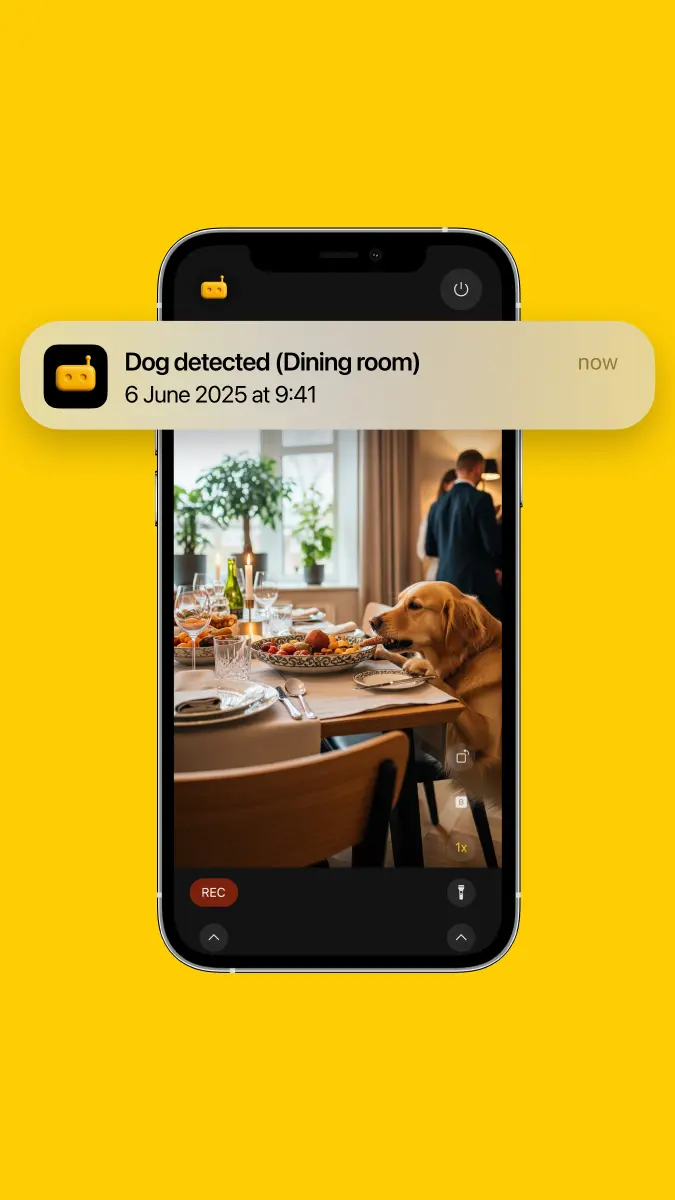
Why RECAM for Pet Parents
YOUR DATA STAYS HOME. Every clip is recorded on the camera phone and stays there, never on external servers.
Whether you’re at work or out to dinner, RECAM keeps you close to your furry friend. Use any spare iPhone or Android phone as a camera, place it near your pet’s favorite spots, and enjoy end-to-end encrypted viewing from your main phone — with smart sound-based alerts tailored for dogs and cats. It’s the same private AI CCTV that runs on a spare phone, tuned for paws instead of prowlers.
Pet Sound Detections: What RECAM Can Hear
RECAM’s audio intelligence detects key pet sounds — processed entirely on your device for speed and privacy.
- Dog Whimper
- Dog Bark
- Dog Growl
- Cat Meow
- Cat Purr
Customize which sounds trigger notifications, so you’ll be alerted to stress, excitement, or just a happy purr.
SMART AI, RIGHT ON YOUR SPARE PHONE
The entire engine runs locally — no cloud processing, no compromise. That means lower latency, better reliability, and true privacy for you and your pets.
PRIVACY FIRST
Live streams are end-to-end encrypted — direct between your devices when your network allows, with an encrypted blind relay fallback that can never read them. Share access with a trusted person via QR code and revoke it anytime — all without creating an account.
CLIPS you can replay from anywhere
The camera phone records clips locally — on motion or sound detection, or when you tap REC. With RECAM Pro, tap from the live view and it streams those saved clips back to you on demand, newest first, at real speed, over the same end-to-end encrypted stream. Review the funny meows and tail wags from the office, without handing a second of video to third-party servers. Recording, and watching clips on the camera phone itself, stay free.
POWERFUL VIDEO & AUDIO ALERTS
Get notified instantly for meaningful moments: barks at the door, anxious whimpers, playful meows — or motion-driven snippets when something interesting happens on camera.
Get Started in Minutes
- Place a spare phone where your pet spends time (bed, crate, window perch).
- Open RECAM on the camera device and on your main phone, then connect by scanning the QR.
- Enable the pet sound patterns you care about (bark, meow, purr, etc.).
- Tap REC whenever you want to keep a moment — or let motion and sound detection record it for you.
FAQ
What pet sounds can RECAM detect?
For pet monitoring, RECAM can detect Dog Whimper, Dog Bark, Dog Growl, Cat Meow, and Cat Purr — all processed locally on-device.
Is the live stream private?
Yes. RECAM keeps no cloud video storage and runs its AI on-device. Live streams are end-to-end encrypted — direct between your devices when your network allows, with an encrypted blind relay fallback that can never read them. No account is required.
Where are my clips stored?
On the camera phone. It records clips locally — on motion or sound detection, or when you tap REC — and they stay there; RECAM keeps no cloud video storage. With RECAM Pro, tap from the live view and the camera streams its saved clips back to you, newest first, at real speed, over the same end-to-end encrypted stream.
Can I share access with a sitter?
Yes. Share via QR code in seconds and revoke access at any time — no account required.
Will RECAM alert me for every sound?
You choose which sounds trigger alerts. Enable dog bark or cat meow, and disable what you don’t need.