
Your old phone. Your new security camera.
It films, the phone in your hand watches. iPhone or Android, any mix. No spare phone? Your Mac can be the camera. On-device AI; not even we can watch.

Free to start · No sign-up · One QR scan, live in 3 minutes · iPhone 8 or later, iPad, Mac or Android
RECAM at a glance.
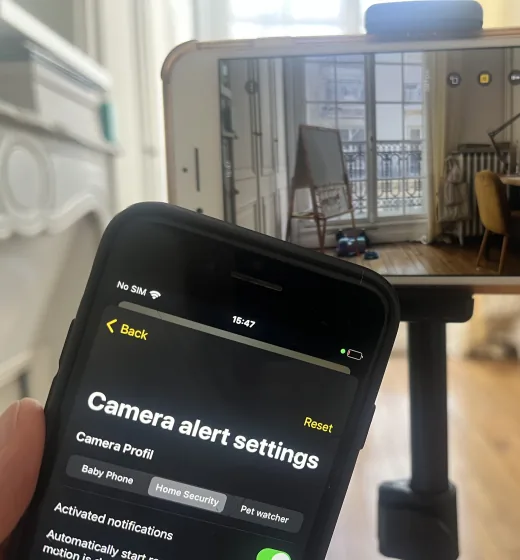
Your old phone is the camera.
Not just motion.
Glass breaking.

25
Sound patterns in Home Security mode
Streams with the screen off.
Live HD from the camera phone, display dark.
$0
Hardware
1
QR scan.
No sign-up.
End-to-end
encrypted
≤30 s
Push to talk
Remote siren
No cloud video
On-device AI
Detection never leaves the phone.
iOS, Mac + Android
Any two devices. Mix them.
Camera on
Wi-Fi or cellular.
Direct when your network allows it. Otherwise through a blind relay that can’t read the stream.
AI detection
Signal,
not noise.
Traditional cameras record everything — shadows, leaves, passing cars — and upload it all to the cloud. AI detection is different. Higher signal. Fewer false alarms. Dramatically lower privacy risk.
Everything, all the time.
Every leaf. Every shadow. All stored on someone else's server.
One alert. When it matters.
Only real events. Analyzed on-device. Never uploaded.
Human detection only
Filter noise. Trigger alerts only when it matters.
Face & shape detection
More context. More accurate event understanding.
No useless notifications
Less interruption. More confidence in every alert.
Security without cloud risk
Local AI means fewer attack surfaces and zero data exposure.
Spare phone
You already own the camera. It just needs the app.
The phone in your drawer has the lens, the mic and the chip that runs the AI. RECAM is the missing piece — and it’s free to start.
-
01
Install
Free to download, on both devices: the old one and the one in your hand.
-
02
Prop, scan, plug in
Old phone at the door or the crib. One QR scan. Plug it in.
-
03
Get the alert
Someone shows up. The phone in your hand gets one line: “Human detected”.
From drawer to door in three minutes.
Step-by-step guides: Spare iPhone as a security camera Old Android phone as a security camera
RECAM for Mac
Your Mac can watch. Or be the camera.
Same app as on your iPhone, same QR scan. It pairs with iPhone, iPad, Android and other Macs.
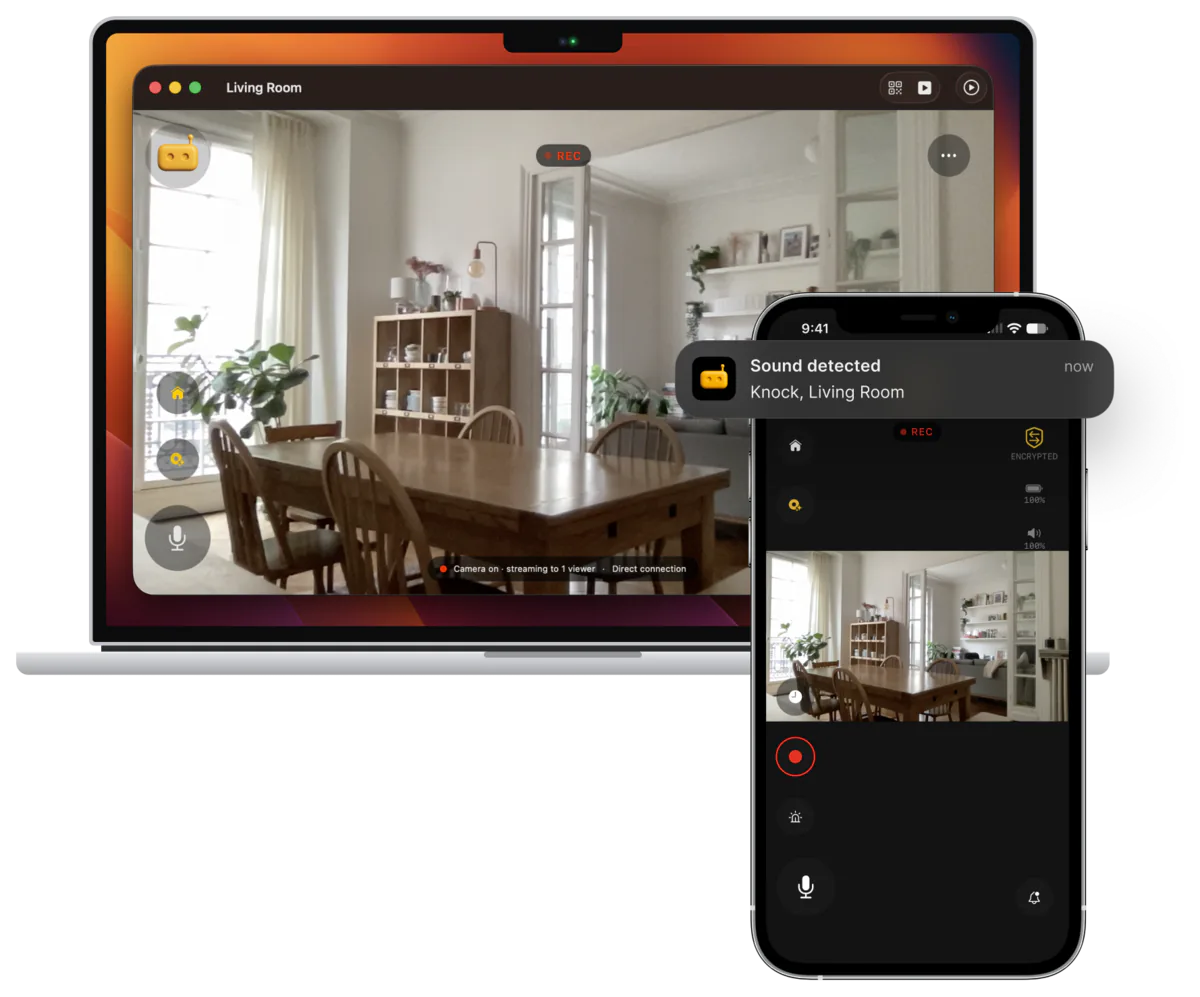
- Watch from your desk. Every camera in a sidebar, alerts in Notification Center.
- Keep it in the corner. ⌥⌘P floats the live view over your other apps.
- Make it the camera. Built-in camera, USB webcam, or your iPhone through Continuity Camera (macOS 14+).
macOS 13 Ventura or later, Apple silicon or Intel. As the camera, a laptop stays plugged in with its lid open.
Vs. Ring · Nest · Arlo
Same features.
Without the surveillance economy.
Ring, Nest, and Arlo charge $40–130 for the camera plus $50–100 a year for an entry plan that keeps your footage on their servers. Over three years, that’s about $200–430 for one camera — and a permanent record outside your home. With RECAM there’s no camera to buy, one plan covers every camera you own, and your video never gets a cloud copy.
Your 1st month on Pro monthly — every camera you own.
Monthly: $4.99, no trial, cancel anytime.
Your 1st year on Pro yearly — every camera you own.
Adding a camera doesn’t change the price.
Over 3 years with Pro yearly — every camera you own.
Getting a new phone in those 3 years? Your old one can take over as the camera, or become a second one — nothing to buy, no per‑camera fee.
- $0 hardware — reuse a phone you own
- On-device AI, no mandatory cloud
- Recorded clips stay on your phone
- End-to-end encrypted
- Free to start: live video and alerts for your first 3 days
- Or all of Pro free for 3 days with the yearly trial, then $49.99/year, cancel anytime
1st month, one camera: the camera alone, before any plan.
1st year, one camera: the camera plus a year of an entry plan with video history.
Over 3 years for one camera, on entry plans with video history.
- $40–130 hardware per camera
- $50–100 a year for an entry plan
- Footage stored on their servers
- Account and vendor lock-in
List prices, checked October 2026. The full Ring vs Nest vs Arlo comparison Cheapest of the three: a Nest Cam with no plan (person alerts, 6 hours of event previews) comes to about $130 over 3 years, $20 less than RECAM.
Use cases
Where would you put yours?
Five places an old phone earns its keep.
Front door
Know before they knock.
Driveway & garage
The car, the bikes, and whoever’s near them.
Living room
You’re away. Glass breaks. Your phone tells you.
Baby monitor
Nap down the hall. A cry finds you.
Pet cam
Barking at noon? Look in from your desk.
On-device AI
Every frame, judged on the phone. Not in a data center.
The neural networks run on the camera device itself. They read every frame right there — and what reaches the phone in your hand is a verdict, not a video.
- Human detectionKnows a person from a shadow, a pet, a car.
- Pose estimationReads posture, not just presence.
- Face directionKnows which way a face is turned.
- Face visibilityChecked on a sleeping baby’s face, frame by frame.
- Sound patternsGlass breaking, cries, barks — sorted on the phone, by mode.
What running locally buys you
The verdict leaves the phone. The footage never has to.
Privacy
No footage to leak. No footage to hand over. No one watching but you.
Ring, Nest and Arlo keep your footage on their servers — a copy outside your home that you don’t control. RECAM keeps no copy at all. Your video is encrypted on the camera device and readable only on the phones you paired.
“No Data Collected” is Apple’s privacy label for the RECAM iOS app on the App Store; the Android app’s data safety details are listed on Google Play. On either, your video is never readable by RECAM.
End-to-end encrypted
Encrypted on the camera device, decrypted on yours. Nothing in between can read a frame.
Blind relay
When no direct path exists, a relay forwards encrypted packets it cannot read, store or watch.
Clips stay on the camera
Clips live only on the camera device. Replay uses the same encryption, unseen by us.
Direct on your Wi-Fi
Same Wi-Fi: the two phones connect directly. No internet? Recording carries on regardless.
| Ring · Nest · Arlo | RECAM |
|---|---|
| Your footage sits on their servers — Ring hands it over on a valid legal request. | Nothing readable exists outside your phones — so there is nothing to hand over. |
| An account and a password for every camera you own. | No sign-up. One QR scan pairs your two phones — no password to steal. |
We can’t watch your video.
Not won’t — can’t.
Monitoring modes
Baby monitor. Pet cam. Security cam.
Same phone, one tap apart.
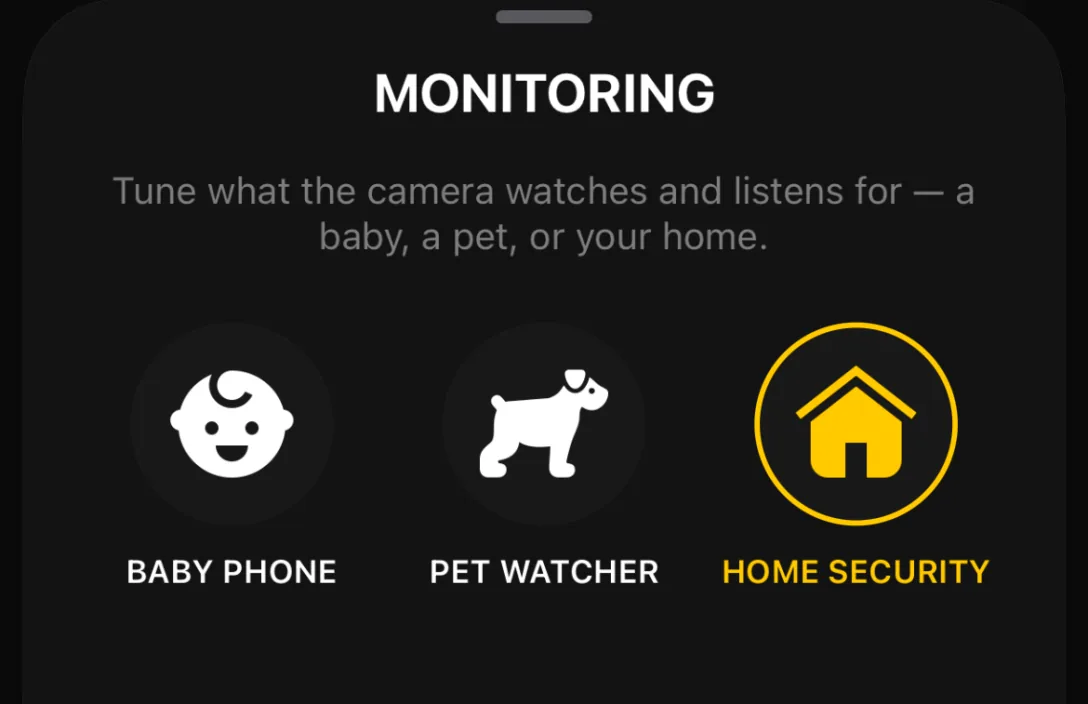
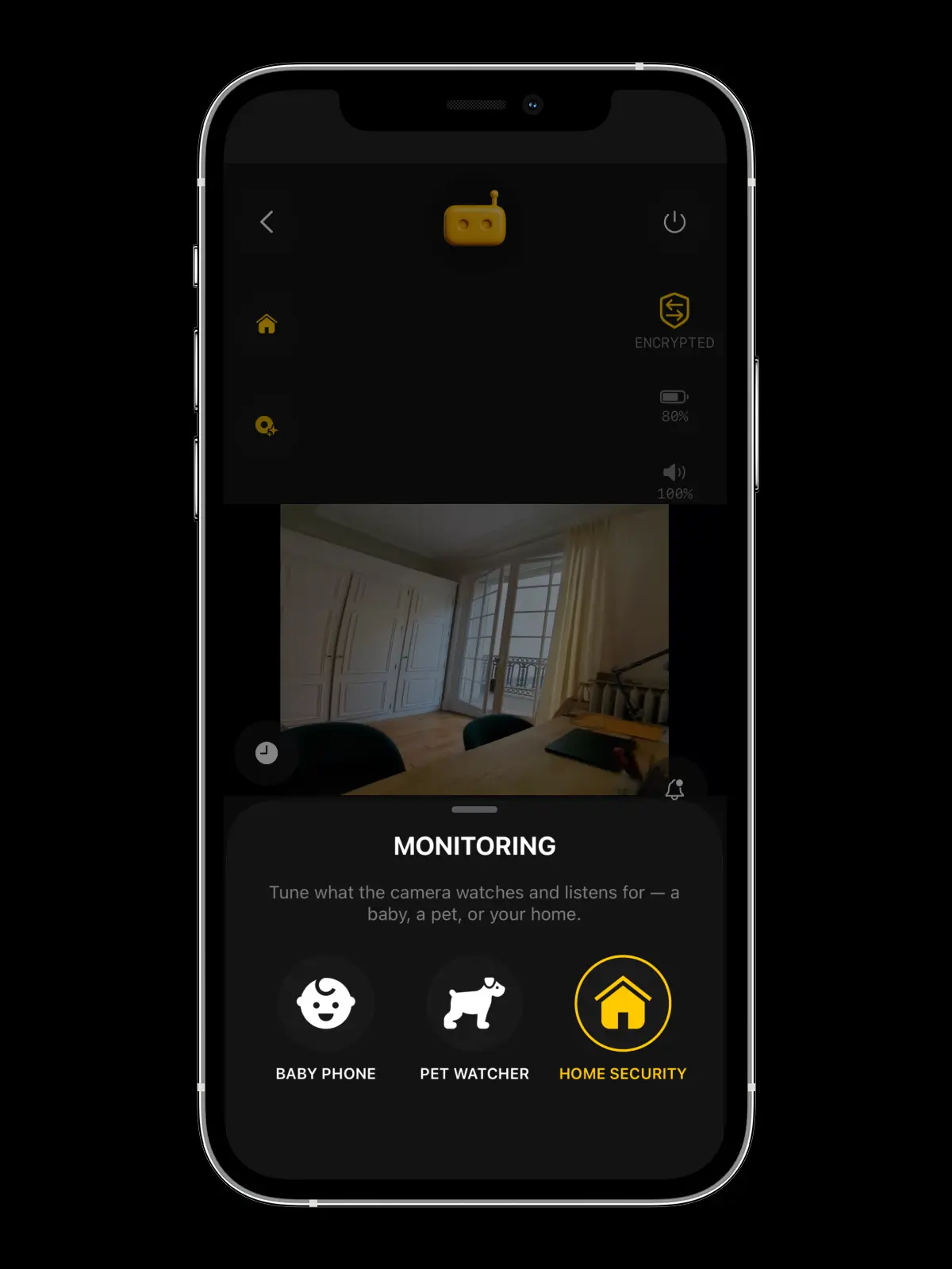
Nap time: tap Baby Phone — the camera listens for cries, giggles too, and keeps its light off in the nursery. School run: Pet Watcher, tuned to barks, whimpers and meows. Lights out: Home Security, listening for 25 sound patterns you hope it never hears, glass breaking included.
Switching takes one tap, on an iPhone or Android camera alike · Every mode is a preset — each detection toggle stays adjustable in settings · Whichever you pick, human and animal detection, alerts and motion recording stay on
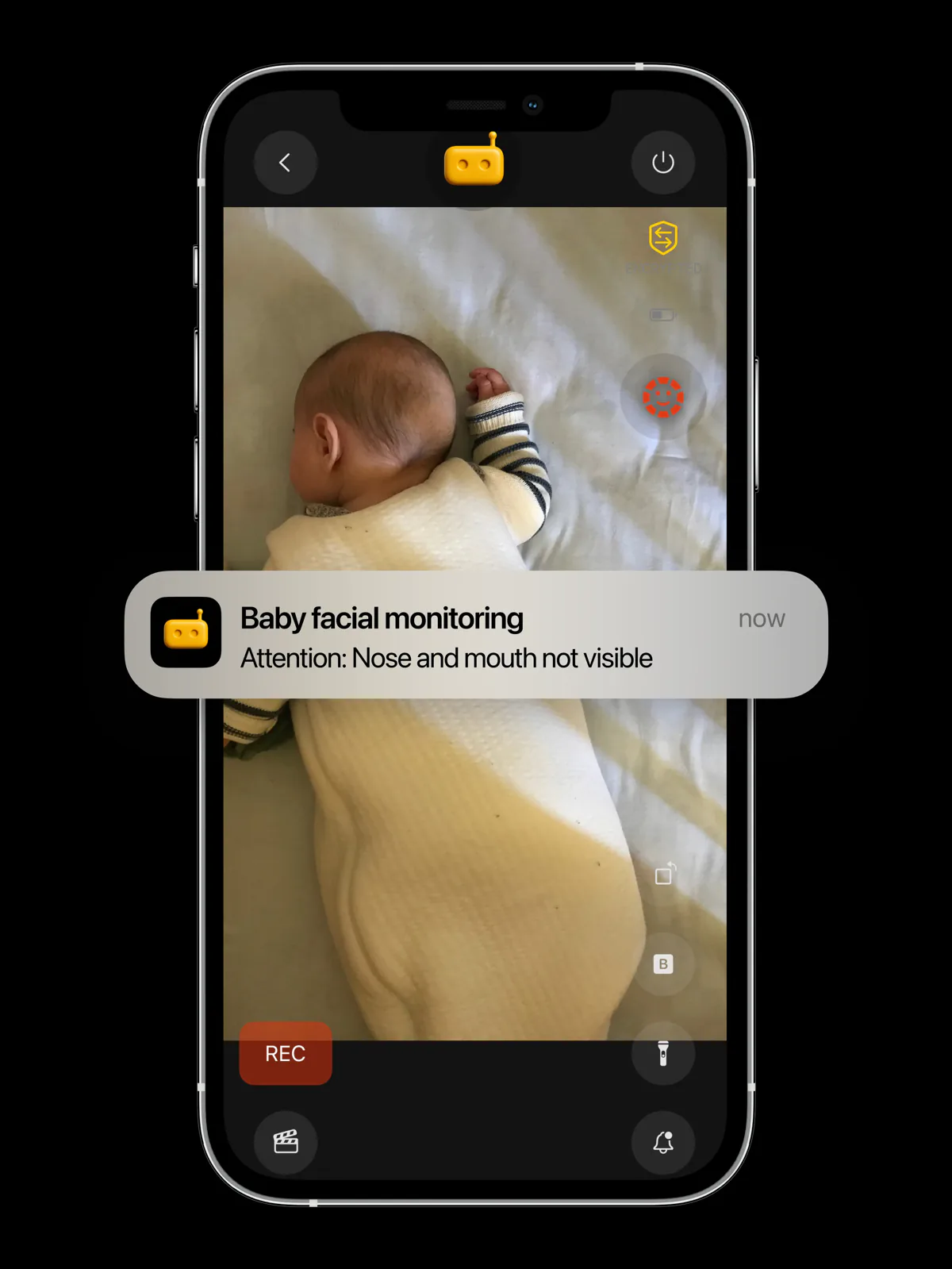
Baby face monitoring
Knows when their face is covered.
Alerts you instantly.
On-device AI helps alert you when your sleeping baby’s face is no longer visible to the camera, for example when it looks covered — without uploading a single frame. No cloud watching your nursery. Just you.
RECAM is not a medical or certified safety device. It complements but does not replace direct supervision.
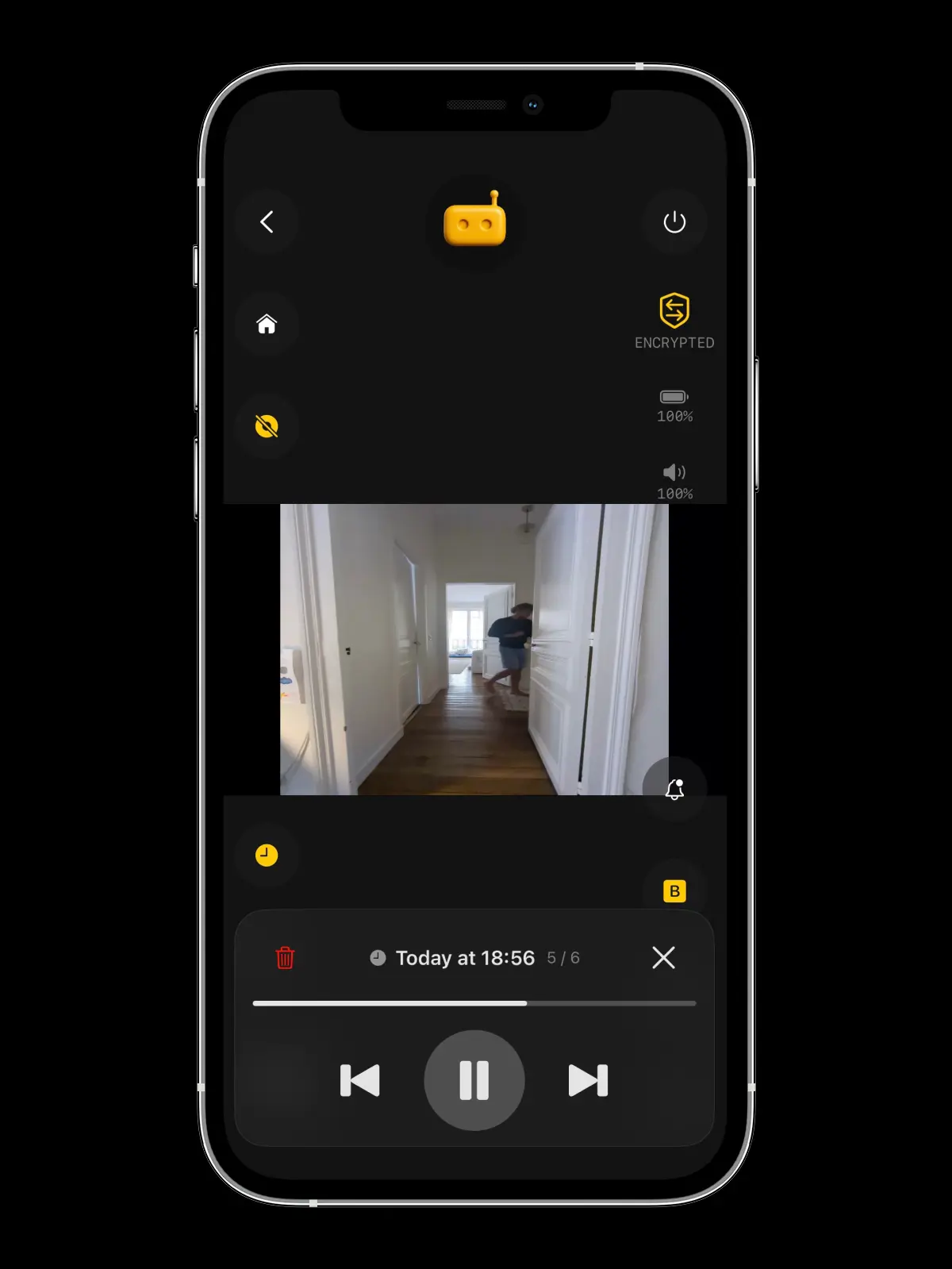
Recording & playback
You missed it live.
Your camera didn’t.
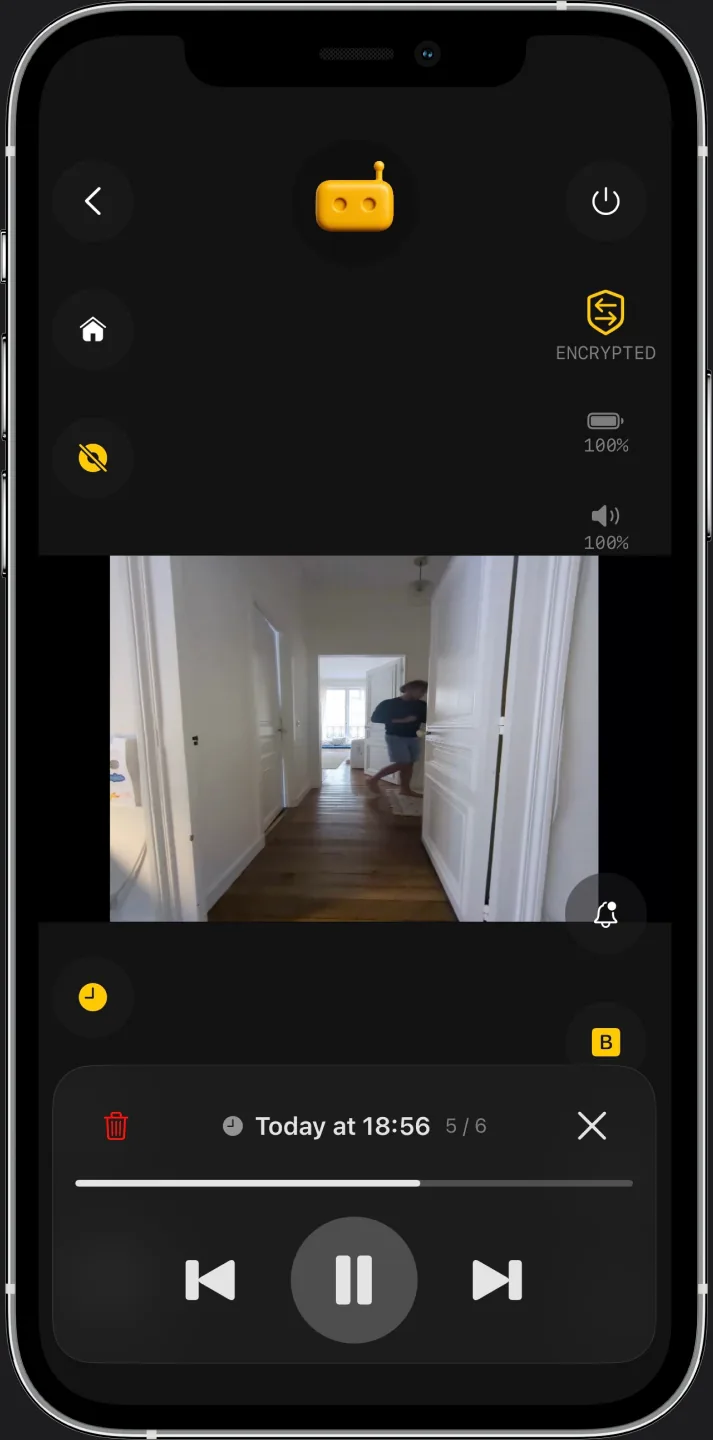
Your phone buzzes at 3 p.m. — motion in the hallway. Over coffee you open the live view, tap the clock, and the camera plays back what it saved: newest clip first, at real speed. Nothing was uploaded for you to watch it — the clip never left the phone or the Mac at home.
RECAM Pro to start a replay — recording, and watching on the camera device itself, stay free · Try it free: the yearly plan starts with a 3-day free trial of every Pro feature, then $49.99/year; cancel anytime · The camera device records on motion or sound detection, or when you tap REC
Push to talk
Say it out loud at home.
From wherever you are.
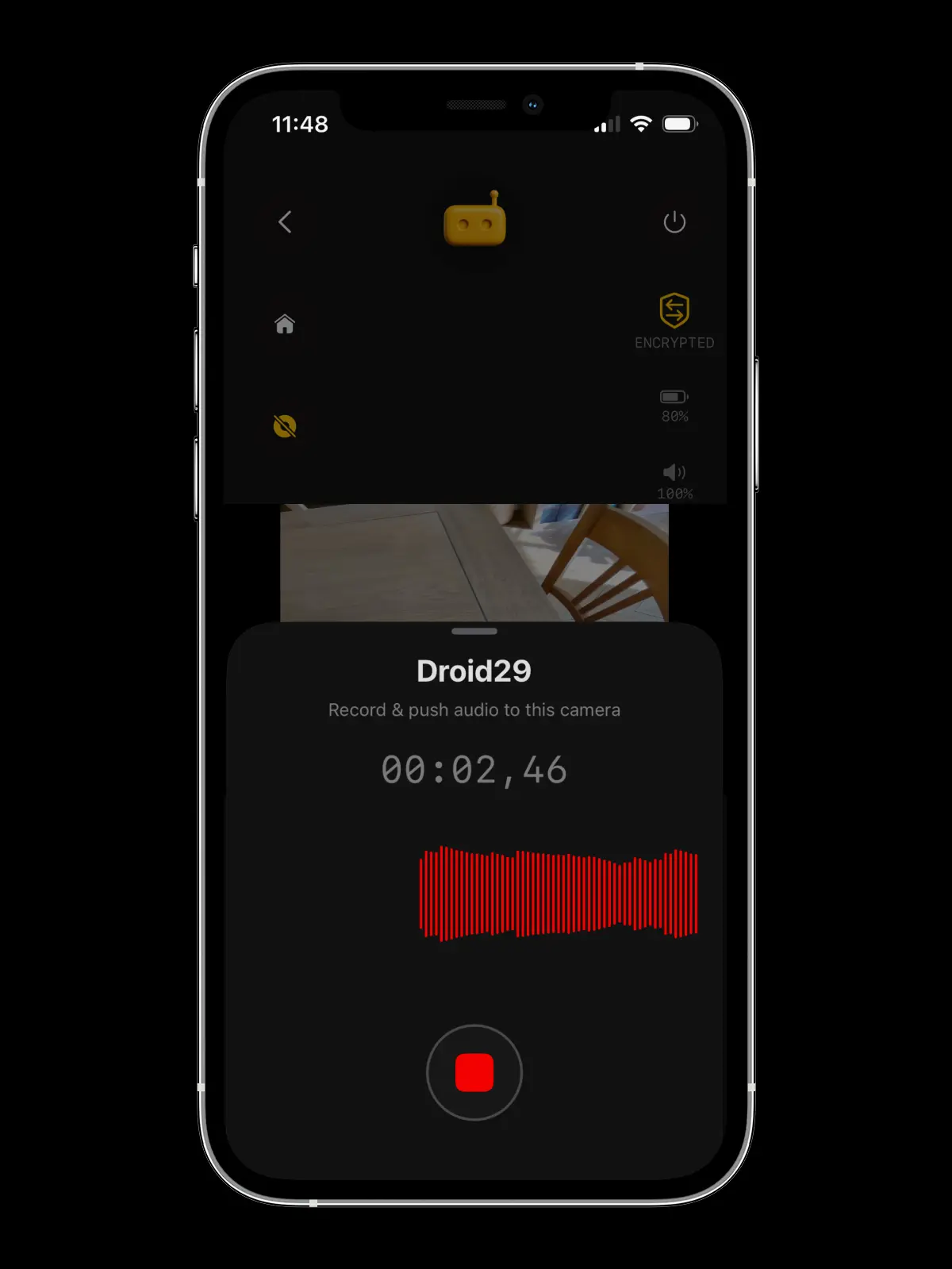
Tap the mic, say a few words, and your voice plays out loud on the phone you left at home — even with its screen off. Comfort the dog, tell the kids dinner’s ready, or answer the delivery driver.
RECAM Pro · Up to 30 seconds a message · Recorded and delivered · Encrypted with your camera’s own key
Remote siren
One tap from anywhere.
The room gets very loud.
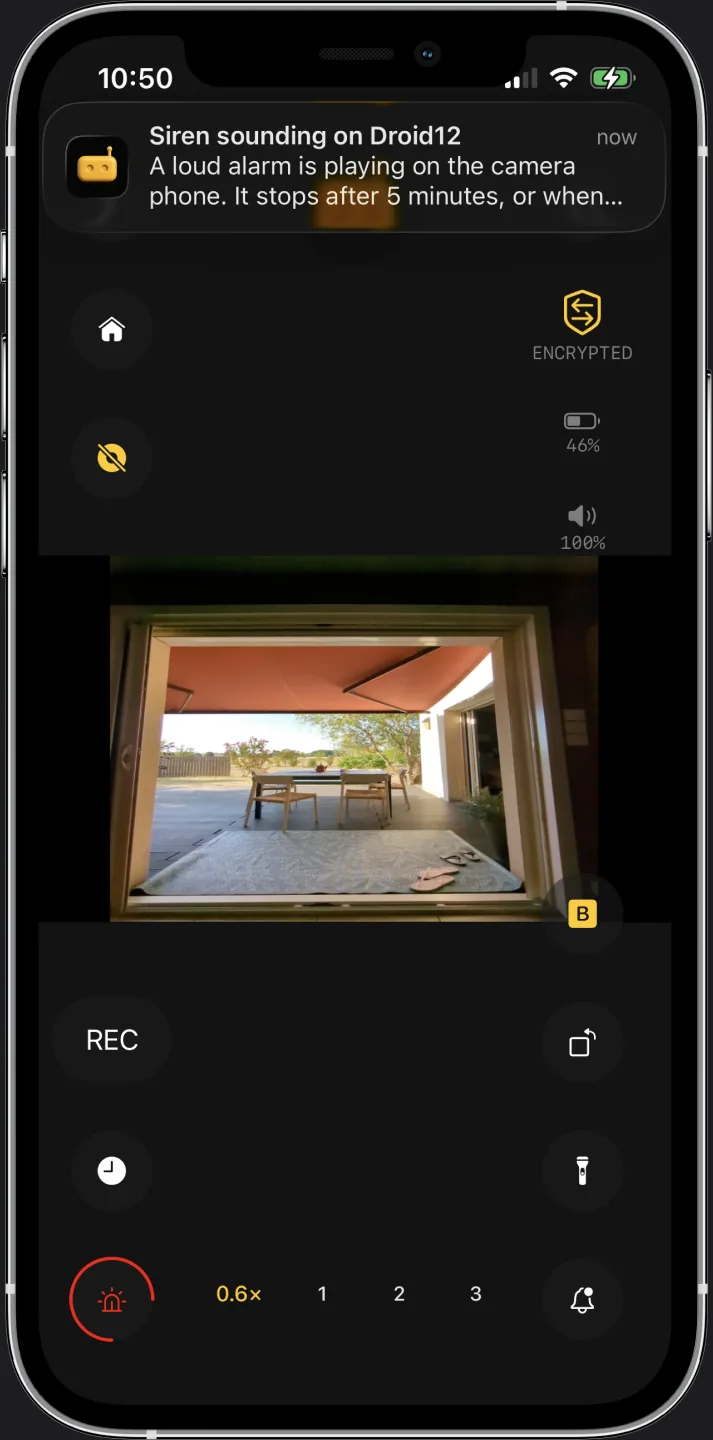
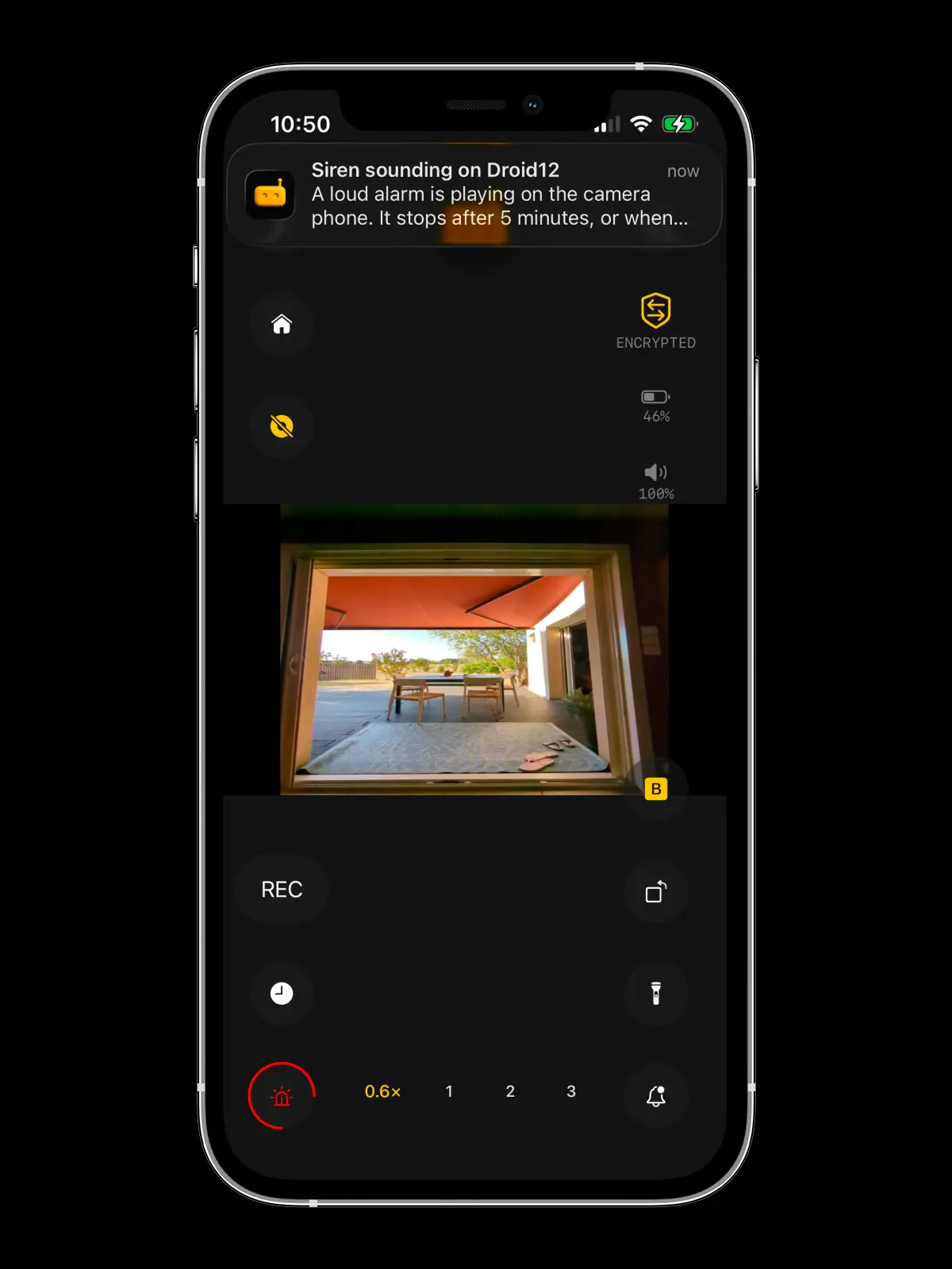
There’s an intruder in your home. Tap the siren: the phone or the Mac you left at home starts wailing — a rising alarm sweep that a phone’s silent mode does not stop — whether you’re in the next room or another country. No monitoring centre, no operator, no call-back about a false alarm. Simple, effective deterrence.
RECAM Pro · Stops itself after 5 minutes, or the moment you tap again · On an Android camera device RECAM sets the alarm volume to maximum; on an iPhone camera it plays at the volume that phone is set to · Not a monitored alarm service — nobody is dispatched
Your spare phone watches your home — and speaks for you. Free to start. Try all of Pro free for 3 days with the yearly plan, then $49.99/year. Cancel anytime.

Start today
Your camera, running in three minutes.
Download RECAM — the AI security camera app for iPhone, Mac and Android. Turn a spare phone, or the Mac that stays home, into a private security camera, then watch it live from your phone. No sign-up. No mandatory cloud. No surveillance economy.
Mix any two — iPhone 8 or later, iPad on iPadOS 16+, Mac on macOS 13+, Android 7.0+.
FAQ
Questions, answered.
Is this really a security camera using an iPhone?
Yes. RECAM turns any iPhone — or any Android phone — into a private, AI-powered security camera with human detection.
Can an Android phone be the camera, or only watch?
Yes — an Android phone can be the camera, and it does everything an iPhone camera does: live HD video and sound, AI detection running on the phone itself, and it keeps streaming with the screen off, so it can sit on a charger all day. It can just as easily be the viewer instead — you decide, device by device. Best part: the two phones don’t have to match. An old Android can watch the crib while you check in from the iPhone in your pocket, or the other way round — so any two phones in the house are enough to start. Either way the stream is end-to-end encrypted: direct when your network allows, via an encrypted blind relay otherwise.
No spare phone? Can my Mac be the camera?
Yes, if the Mac stays home. Any Mac on macOS 13 Ventura or later, Apple silicon or Intel, can be the camera: it films with its built-in camera, a USB webcam, or your iPhone through Continuity Camera (macOS 14 or later), and you watch from your iPhone, iPad, another Mac or an Android phone. Close the window and it keeps watching from the menu bar. It keeps the Mac awake, but a laptop’s lid has to stay open: a sleeping Mac films nothing. A Mac can be the screen instead, with your cameras in a sidebar and alerts in Notification Center. One role at a time, and the stream is end-to-end encrypted either way: direct when your network allows, via an encrypted blind relay otherwise.
Is my old phone too old for RECAM?
Probably not. RECAM runs on iPhone 8 and later (on iOS 16.3+), any iPad on iPadOS 16 or later, any Mac on macOS 13 Ventura or later (Apple silicon or Intel), and any Android phone or tablet on Android 7.0 or later — Android 7.0 shipped back in 2016. To check: on iPhone or iPad, Settings → General → About; on a Mac, Apple menu → About This Mac; on Android, Settings → About phone → Android version. See the full technical requirements
Does RECAM store video in the cloud?
No cloud video storage. All AI analysis runs on the camera device itself. Live streams are end-to-end encrypted — direct when your network allows, via an encrypted relay otherwise. Recorded clips stay on the camera device — replaying them from your other phone travels over that same encrypted stream, and we never see them. Apple’s App Store privacy label for RECAM lists “No Data Collected.”
Can I use multiple iPhones as cameras?
Yes — add as many cameras as you need and switch between them in a tap. You can mix iPhone, iPad, Mac and Android in the same system.
Does the app work if my internet goes down?
Yes. RECAM runs even offline. Notifications and video streaming need internet access, but the actual video recording is stored locally on the camera device.
Can I use RECAM as a doorbell or garage camera?
Absolutely. RECAM was engineered for entrances and outdoor monitoring too.
How does RECAM stay private without the cloud?
RECAM runs its AI on-device and keeps no cloud video storage. Your live stream is end-to-end encrypted — direct device-to-device when your network allows, and when it can't, a blind relay forwards the encrypted stream without ever being able to read it. How the encrypted connection works
Is the live stream encrypted?
Yes. RECAM streams in real time over UDP with AES encryption — end-to-end encrypted, direct device-to-device when your network allows, with an encrypted relay fallback that can never read your stream.
Can RECAM detect animals or outdoor activity?
Yes. RECAM can be used for outdoor monitoring (e.g., garden/pool/entrances) with smart alerts for meaningful activity.
Can I monitor a shop, office, or storage room with RECAM?
Yes. Many use RECAM to cover workspaces like home offices, garages, stock rooms, and delivery doors with instant alerts and privacy-first monitoring.
Can I view RECAM remotely from another network?
Yes — it just works on Wi-Fi or cellular, on any router, with no setup. RECAM connects your devices directly when the network allows; otherwise an encrypted blind relay forwards the stream. UPnP or port forwarding is optional, only to favor a fully-direct path.
Does RECAM only detect motion, or can it analyze sound too?
RECAM can use on-device analysis for both motion and sound events to reduce false alerts and prioritize real situations. How AI sound detection works
Can I use RECAM as a baby monitor?
Yes — RECAM is one of the safest iPhone baby monitors available because nothing streams to the cloud. Your video is end-to-end encrypted the whole way; if your network can't make a direct connection, a blind relay forwards the encrypted stream but can never read it. On-device AI can alert you to crying or to a face that looks covered — without uploading a single frame of your baby. Read our baby monitor app guide
Does RECAM work as a pet camera?
Yes. RECAM makes an excellent private pet camera. On-device AI listens for barks, meows, and distress vocalizations and detects animal movement, so you only get alerts when something actually happens. No cloud copy of your video, no camera to buy, no strangers watching your living room. Read our pet camera app guide
Can RECAM be a baby monitor and a security camera?
Yes — the same camera device switches jobs in one tap. The Monitoring picker in the live view offers three modes: Baby Phone, Pet Watcher, and Home Security. Each one retunes what the camera watches and listens for, and you can switch remotely from the phone in your hand, without touching the camera. Whichever mode you pick, human and animal detection, alerts, and motion recording stay on, so switching never leaves a room uncovered. Switching works the same on iPhone and Android, and every detection stays adjustable in settings. See how the modes work
Can I use RECAM for an Airbnb or short-term rental?
Yes, as a disclosed exterior camera, outside the listing. Airbnb doesn't allow cameras inside a listing, even switched off, so RECAM belongs at the door, on the porch or over the driveway, and in your listing description. It alerts you when someone arrives, you look in live, and with RECAM Pro you can talk to them or sound the siren. In your own home or a studio you don't rent out, put it wherever you like. Airbnb camera rules and placement guide
Can RECAM watch my driveway and car?
Yes. Point a spare iPhone at a window facing your driveway and RECAM's human-detection AI triggers alerts only when someone approaches — not when a leaf blows by. You get encrypted video from a phone you already own, with no camera to buy. Driveway & car security guide
How much does RECAM cost compared to Ring, Nest, or Arlo?
RECAM needs no camera to buy: it runs on phones you already own, with on-device detection and end-to-end encrypted live video. Free to start, two ways. With no plan at all, live video and AI detection alerts are free for your first 3 days, with no payment details. Or, as a new subscriber, start the yearly plan’s free trial: every Pro feature for 3 days, including the remote siren, push to talk and clip replay, then $49.99/year unless you cancel at least 24 hours before the trial ends. Prefer monthly? $4.99/month, no trial, cancel anytime. After your first 3 days, RECAM Pro keeps live video and alerts on and adds the remote siren, push to talk, clip replay and more viewers per camera; one plan covers every camera you own. On iPhone, iPad and Mac, a Pro subscription can be shared with up to five family members through Family Sharing. Ring, Nest, and Arlo charge $40–130 for the camera plus $50–100 a year for an entry plan with cloud video history — that’s about $200–430 over three years for one camera. Use a spare phone as a doorbell camera
Where do I put the camera phone?
Anywhere an inexpensive mount can hold it: a gooseneck arm clamped by the crib, a suction cup on the window facing the driveway, a simple dock on the dresser or a shelf. Pick a spot with power nearby — a camera phone stays plugged in. See our recommended mounts
What does the remote siren do?
From the live view, you tap once and the camera device plays a loud alarm wail — even in a phone’s silent mode — whether you’re in the next room or another country. It keeps sounding until you tap again, and stops on its own after five minutes per trigger. On an Android camera device RECAM raises the alarm volume to maximum itself; on an iPhone camera it plays at the volume that iPhone is set to, so leave it turned up. The siren is always fired by you and never automatically by detection; it’s part of RECAM Pro ($4.99/month or $49.99/year), and RECAM is not a monitored alarm service, so nobody is dispatched.