
There is a phone in a drawer somewhere in your house. It has a better camera in it than most of the security cameras sold in a box, it is entirely paid for, and it is doing nothing. The only thing that ever stood between that phone and a working baby monitor was software.
As of now, that software runs on it. RECAM on Google Play does the camera role in full — live HD video and sound, on-device detection, screen off, sitting on a charger. Until now RECAM asked for a spare iPhone to be the camera: if the drawer phone happened to be a Galaxy, a Pixel, or a Redmi, it could watch your cameras but it couldn’t be one. That qualification is gone. The requirement isn’t “a spare iPhone” anymore — it’s two phones, any two phones, and most households already clear that bar without buying anything.
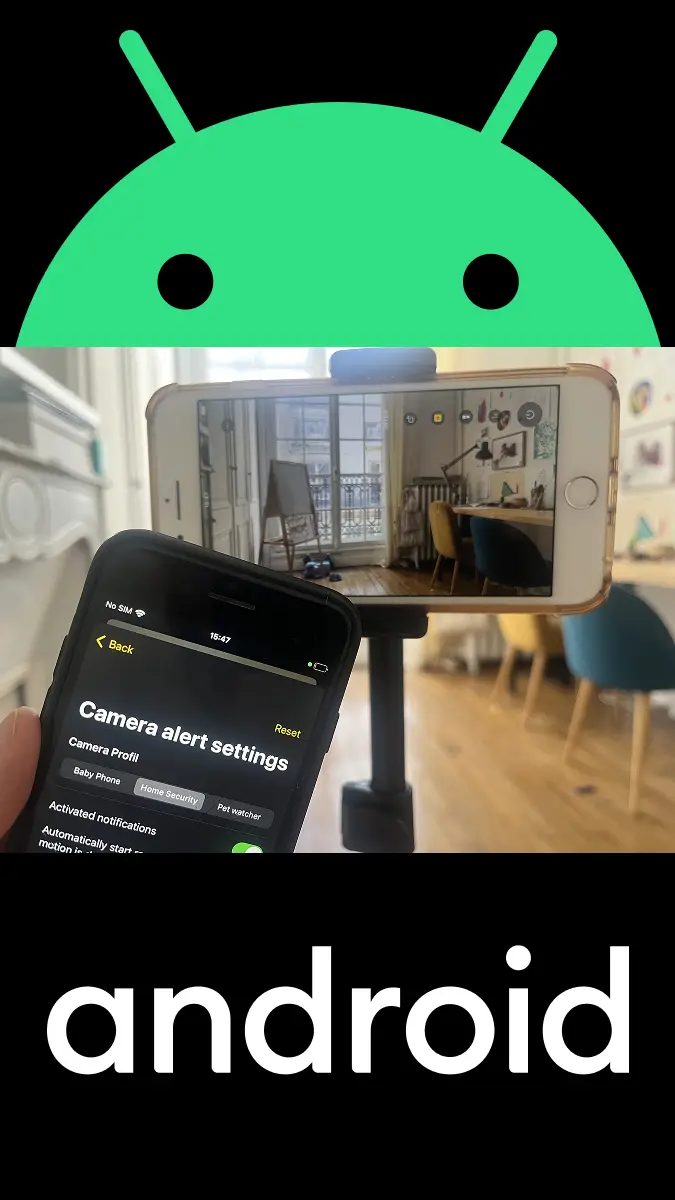
What Changed: Android Is the Camera Now
Every device in a RECAM setup takes one of two roles: it films, or it watches. The Android app used to only do the second one. Now it does both, and the practical consequence is bigger than a feature bullet.
Before, the sentence was “you need a spare iPhone.” That ruled out a lot of houses. Now the sentence is “you need a spare phone,” and the honest follow-up question is: which drawer is it in? The old Android you kept because you weren’t sure what to do with it qualifies. So does the one your teenager upgraded out of. So does a tablet.
Everything the camera role does on an iPhone, it now does on Android: streams live HD video and sound to the device you paired it with, keeps streaming with the screen off, analyses the scene on the device itself, and sends alerts the moment something matters. No dedicated hardware, no cables to run, nothing to drill into a wall.
Why an Old Android Is a Good Camera
The instinct is that an old phone is an inferior camera. It’s backwards. Consider what a phone you stopped using three years ago still has in it:
- A camera built to compete. Phone makers fight each other on cameras every single year, and the losers of that fight are still far better than the sensor in a plastic security box. Your old phone shoots a backlit doorway better than most purpose-built cameras.
- Enough on-device power to run the AI. RECAM analyses the scene on the camera phone itself — sound, people, motion, animals — in real time. Phones have been carrying that kind of silicon for years.
- A microphone, Wi-Fi, and a battery. Everything else a camera needs is already in the chassis.
- A price of zero. A camera you already own is the only camera that adds nothing to the bill. No hardware, no hub, no NVR.
The missing piece was never the hardware. It was software that makes the phone behave like a camera — run continuously, watch for events that matter, and push them to whatever screen you’re holding. That’s the whole job RECAM does.
What You Need (and What You Don’t)
You need:
- An old Android phone to be the camera. A tablet works too.
- A second device to watch from — another Android, an iPhone, or an iPad. Whatever is usually in your hand.
- A charging cable and an outlet where the camera phone will sit.
- An internet connection on both devices. Home Wi-Fi is ideal; mobile data works too.
You do NOT need:
- A hub, a base station, or a bridge.
- An account, for the free core.
- A public IP, port forwarding, or UPnP.
- A new camera. That’s the entire point.
The Setup, Step by Step
- Charge the old phone. Whatever you use as a camera is going to live on a charger, so start by putting it on one and picking a spot near an outlet.
- Install RECAM on both devices. You are probably holding one of them right now. Get it from Google Play on the old Android phone. On the device you’ll watch from, install it from Google Play or the App Store, depending on what that device is.
- Choose the role on each device. On the old phone, choose to use it as the camera. On the phone in your hand, choose to watch. You’re deciding device by device, and you can change your mind later.
- Pair them with one QR scan. The camera phone displays a QR code. Scan it from the viewing device. That’s the pairing — the two devices exchange keys and lock in an end-to-end encrypted stream that only they can read.
- Pick a profile. Baby, Security, or Pet. One tap sets up detection and notifications for that job. You can adjust anything afterwards.
- Position the camera and plug it in. Prop the phone facing the crib, the front door, or the sofa. Plug it in. You can let the screen go dark — it keeps streaming.
- Walk into frame to test. The viewing device should buzz within a second or two with an alert and a tap-to-watch live view. If it does, you’re done.
Two devices, one QR scan, a few minutes. The second camera is faster than the first.
What the Camera Phone Watches and Listens For
A camera that shows you everything is a camera you stop looking at. The useful part is being told when something matters, which is what the on-device AI is for. The camera phone analyses its own feed, in real time, and paired viewers get the notification straight away:
- Sound detection — crying, barking, unusual noise.
- Person and motion detection — someone walked in, not a curtain moved.
- Animal detection — for the pets who get up to things while you’re out.
- Baby-face monitoring — for the nursery.
All of it runs on the camera phone. Frames are analysed where they are captured, not shipped somewhere to be looked at. If you want the longer version of how that works, we wrote about on-device sound detection and about why fewer notifications is the feature.
Baby, Security, or Pet — in One Tap
The three jobs people actually use a spare phone for need different settings, and nobody wants to configure detection thresholds. So you pick a profile and RECAM sets up detection and notifications for that job in a single tap:
- Baby — crying and baby-face monitoring for the nursery. If that’s your use case, the baby monitor guide goes deeper.
- Security — people and motion at the door, the hallway, the garage.
- Pet — barking, animal movement, and the pet camera essentials while you’re out.
Adjust anything afterwards if you want to. Most people don’t need to.
Where the Video Goes: Encrypted, Never to the Cloud
This is the part that should decide it for you, because it’s the part a cheap camera gets wrong.
Your video is end-to-end encrypted and is never recorded to the cloud or stored on a server. RECAM links your devices directly whenever the network allows. When it can’t — behind a stubborn router, or on mobile data — an encrypted blind relay forwards the stream so the camera stays reachable, and that relay can never read, store, or watch what it carries. Either way, the footage is readable only by the two devices you paired.
Clips work the same way. Record a clip on the camera and play it back from the viewing device when you want a second look — the clip stays on the camera phone. It isn’t uploaded anywhere.
The contrast with a subscription camera is the whole reason RECAM exists: with those, the footage lives on someone else’s server by design, and you pay monthly for the privilege. We laid the numbers out in Ring vs Nest vs Arlo vs RECAM.
Mixing Android with iPhone and iPad
Households aren’t brand-consistent, and RECAM doesn’t ask them to be. Android phones and tablets work alongside iPhone and iPad in the same system, and each device takes whichever role you give it:
- An old Android films the nursery; you watch from your iPhone.
- An old iPhone films the front door; you watch from your Android. (That setup has its own guide.)
- Two old Androids cover the back door and the garage; whoever is home watches from whatever they’re holding.
Add as many cameras as you need and switch between them in a tap. Shared access lets the rest of the family look in too.
Placement, Power, and Dark Rooms
The setup is easy. The things that actually determine whether it works well:
- Plug it in and leave it. A camera earns its keep by being always on. Streaming live video is heavy work for an old battery, so treat the outlet as part of the install. There’s an eco mode to go easy on the battery, and the stream continues with the screen off, but a cable beats both.
- Think about the frame before the mount. Walk into the room and ask what you’re actually trying to see — the crib, the hallway, the doorway from inside. A phone facing a bright window will silhouette everything in front of it; either turn away from the window or put the phone at the glass looking out.
- Anything that holds a phone upright works. A cheap stand, a flexible tripod, a suction mount on the window. Our recommended mounts guide covers what survives 24/7 duty.
- Dark rooms are handled. Low-light boost lets the camera light the scene when the room goes dark, and you can zoom from the viewing device without touching the camera phone.
Go Find the Drawer
You don’t need to buy a camera. You need the phone you stopped using, a charging cable, and about five minutes.
Put the old Android to work.
Get RECAM on Google Play for the camera phone, and install it on whatever you watch from — Android, iPhone, or iPad. The core is free, with no account.
FAQ
Can an old Android phone really be the camera, or does it just watch?
It can be the camera. RECAM on Android does the full job: live HD video and sound, on-device AI detection, and it keeps streaming with the screen off so the phone can sit on a charger all day. It can also be the viewer for a camera running on another Android, an iPhone, or an iPad — you pick the role device by device.
Do the two phones have to be the same brand?
No. Android phones and tablets work alongside iPhone and iPad in the same system. An old Android can film the nursery while you watch from an iPhone, or an old iPhone can film while you watch from your Android. Mix them however your household happens to be equipped.
Does the camera phone need to stay plugged in?
For continuous monitoring, yes — plug it in. Streaming a live camera all day is exactly the kind of work that drains a battery, and an old battery most of all. RECAM keeps streaming with the screen off, and there is an eco mode to go easy on the battery, but a wall outlet within cable’s reach is what makes a camera actually reliable.
My old phone is slow and it gets warm. Is it up to this?
Being a camera is steady work, not heavy work — the phone films, analyses its own feed, and streams. It doesn’t need to be fast. Two things matter more than the spec sheet: keep it plugged in, and give it air. A phone baking in a sunny window or buried in a thick case will run warm, so prop it somewhere with a bit of airflow and out of direct sun, and use eco mode if you want to go easier on it. Google Play will tell you whether RECAM supports your particular phone before you install it — that’s the fastest way to check.
Is the video recorded to the cloud?
No. Your video is end-to-end encrypted and is never recorded to the cloud or stored on a server. Clips you record stay on the camera phone. RECAM links your devices directly whenever the network allows; when it can’t, an encrypted blind relay forwards the stream but can never read, store, or watch it.
Do I need Wi-Fi, a public IP, or port forwarding?
No setup is required. On the same Wi-Fi, RECAM takes the fast local path. Away from home it works over mobile data too, with no port forwarding and no public IP to configure. If either device moves between Wi-Fi and cellular, the stream recovers on its own. See the technical prerequisites guide for the details.
What does it cost to turn an old phone into a camera?
The core is free: as many cameras as you own, one viewer each, live streaming, on-device detection, encrypted end to end, no account required. RECAM Pro is $4.99/month or $49.99/year for unlimited sharing, smart alerts, and clip replay from anywhere, and the yearly plan starts with a 3-day free trial. The hardware cost is whatever the phone in your drawer cost you, which is nothing.