As the camera
It films the room it sits in.
- Built-in camera, USB webcam or your iPhone
- Keeps watching from the menu bar
- Alerts on your iPhone, iPad, another Mac or an Android phone
Mac App Store · macOS 13 or later
The Mac that stays home films the room it sits in and alerts your phone. The Mac on your desk shows every camera you own, even in a small window that floats over your work. Same app as on your iPhone. One QR scan.
Live video and alerts free for your first 3 days, then RECAM Pro.
Apple silicon or Intel · No account · Pairs with iPhone, iPad, other Macs and Android
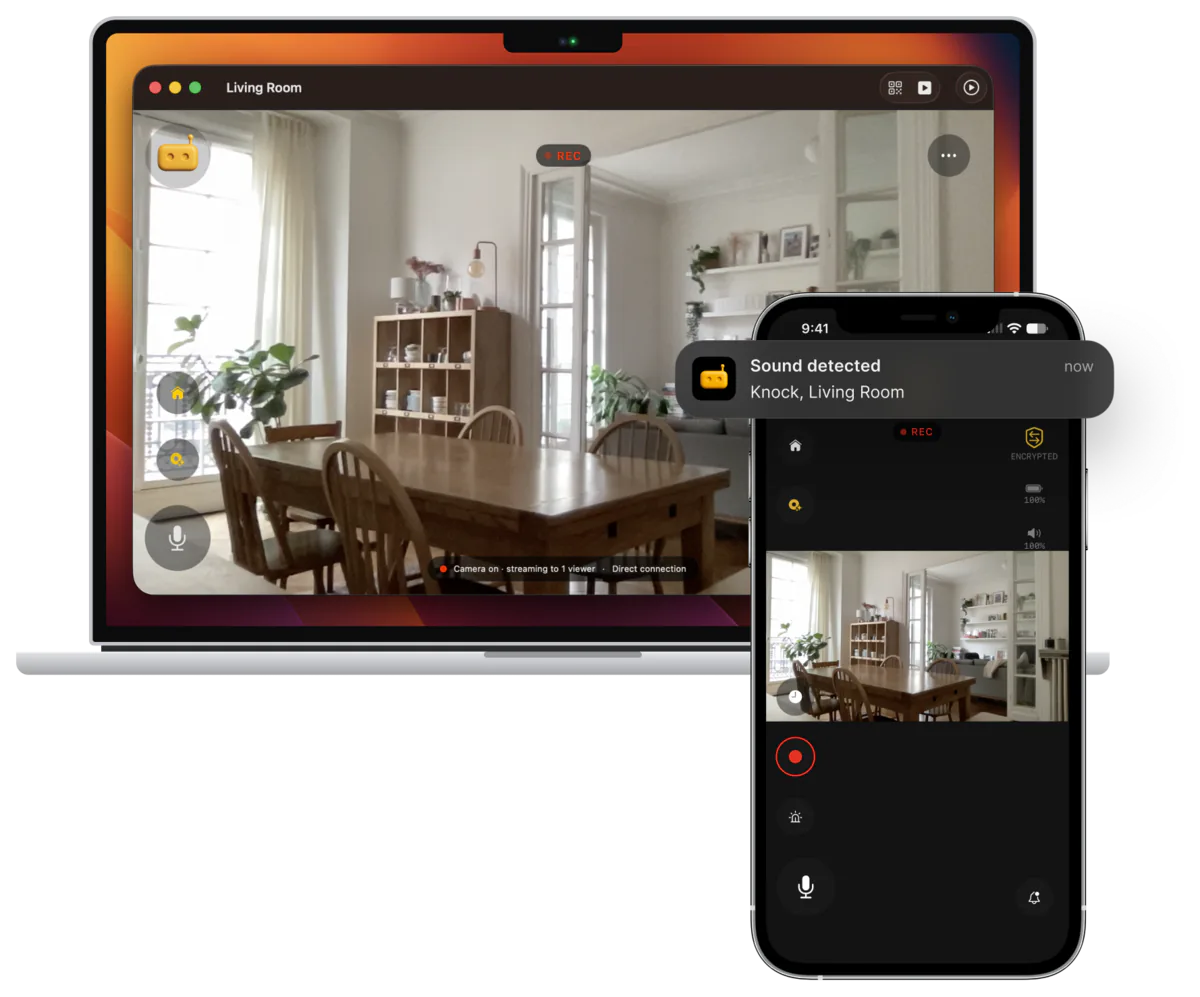
Two jobs
As the camera
As the screen
One job at a time: a Mac watches or is watched. Switch Role… in the File menu changes it.
Mac as the camera
The iMac in the hall. The MacBook that retired to a shelf. A Mac mini with a webcam. Any Mac on macOS 13 Ventura or later, Apple silicon or Intel, can film the room it sits in and send what it sees to your phone.
On a MacBook or an iMac.
For a Mac mini, Mac Studio or Mac Pro, or a better angle.
Through Continuity Camera: RECAM needs macOS 14 for it.
Up to 1080p at 30 fps, if the webcam can.
From the live view, sound a siren through the Mac’s speakers, or the speaker it plays through. On a Baby Phone camera, a lullaby or white noise plays instead. It plays at the Mac’s volume, and RECAM tells you when that’s too low.
Siren or lullaby through your Mac’s speakersClips record to the Mac’s own disk and nowhere else.
Turn an old MacBook or iMac into a security cameraMac as the screen
The spare iPhone in the nursery, the old Android phone at the window, the iMac in the hall: they all sit in a sidebar. Pick one and the live video fills the window, or the whole screen with ⌘F.
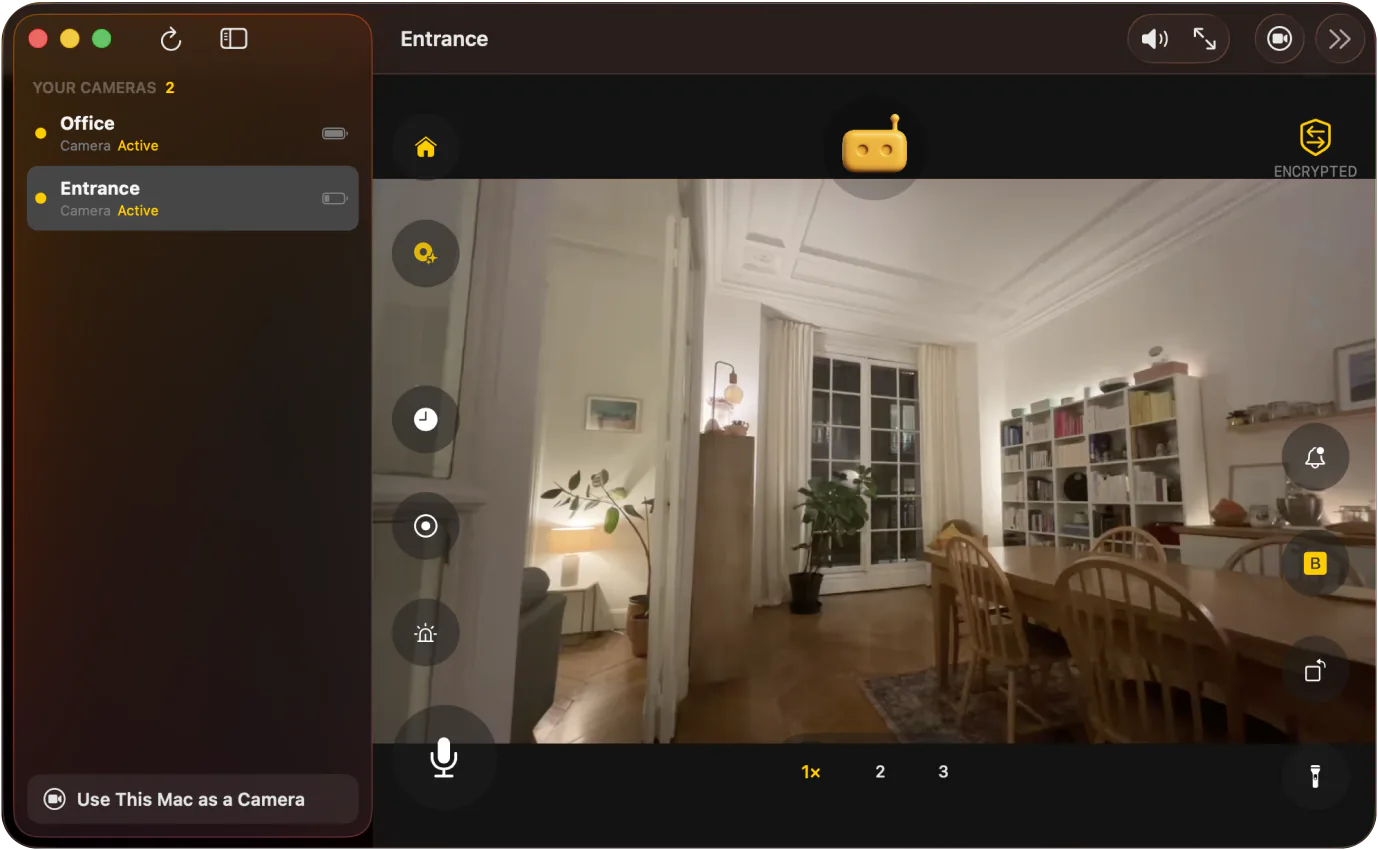
Mini Window · ⌥⌘P
Press ⌥⌘P and the live view shrinks to a small window that stays on top of every app, on every desktop, even over apps in full screen. Drag it where it bothers you least. Double-click it to get the full window back.
It shows up if you share your entire screen.
Picture-in-picture camera on your Mac while you workLive video and alerts free for your first 3 days, then RECAM Pro.
Keyboard
Voice message: one press starts it, you record up to 30 seconds, and it plays out loud on the camera. Delivered, not a call.
Works with what you have
A Mac pairs with an iPhone, an iPad, another Mac or an Android phone, in either direction, with one QR scan. No account, no hub to buy.
Same app as on your iPhone and iPad.
Privacy
Your footage never leaves the device for analysis — not a single frame.
Encrypted on the camera device, decrypted on yours. Nothing in between can read a frame.
Direct between your devices when your network allows. Otherwise a relay forwards encrypted packets it cannot read, store or watch.
A Mac camera records to its own disk. Replay streams over the same encryption.
Scanning it hands over the encryption key, so RECAM keeps the code out of screenshots and screen sharing.
Pricing
No account and no payment details to start.
Free
No account
£4.99/month
or £44.99 a year
One subscription covers your iPhone, iPad and Mac on the same Apple Account.
FAQ
Yes. It’s the same RECAM as on your iPhone and iPad, from the Mac App Store, and it pairs the same way, with one QR scan. One RECAM Pro subscription covers your iPhone, iPad and Mac on the same Apple Account. A Mac does one job at a time: it watches your cameras or it is the camera, and Switch Role… in the File menu changes it.
Any Mac on macOS 13 Ventura or later, Apple silicon or Intel. To check, open the Apple menu → About This Mac. A Mac mini, Mac Studio or Mac Pro has no built-in camera: to be the camera, it needs a USB webcam or an iPhone through Continuity Camera (macOS 14 or later). To watch, it can add a camera by scanning its QR code with a webcam, or by opening a share link from the camera’s owner.
Yes, through Continuity Camera, on macOS 14 or later. Apple’s feature exists on macOS 13, but RECAM needs macOS 14 for it. It’s handy for a Mac with no camera of its own. A spare iPhone can also be the camera by itself: install RECAM on it and leave the Mac out.
No. Closing the lid puts the Mac to sleep, and a sleeping Mac films nothing. Keep the lid open and the MacBook plugged in. RECAM keeps the Mac awake while it streams, and the display can sleep.
Yes. Alerts land in Notification Centre, and RECAM keeps running from the menu bar when you close the window, unless you turn that setting off. A Mac that is the camera keeps watching, too. To stop it completely, quit it from the RECAM icon in the menu bar.
Yes, in either direction. An Android phone can be the camera your Mac watches, and a Mac can be the camera you watch from an Android phone.
The download is free and needs no account. Live video and alerts are free for your first 3 days. After that, both need RECAM Pro, monthly or yearly. Clip replay, the siren or lullaby, voice messages and extra viewers are part of RECAM Pro.
Film the room, or watch every camera. macOS 13 Ventura or later.
 Sound detected