
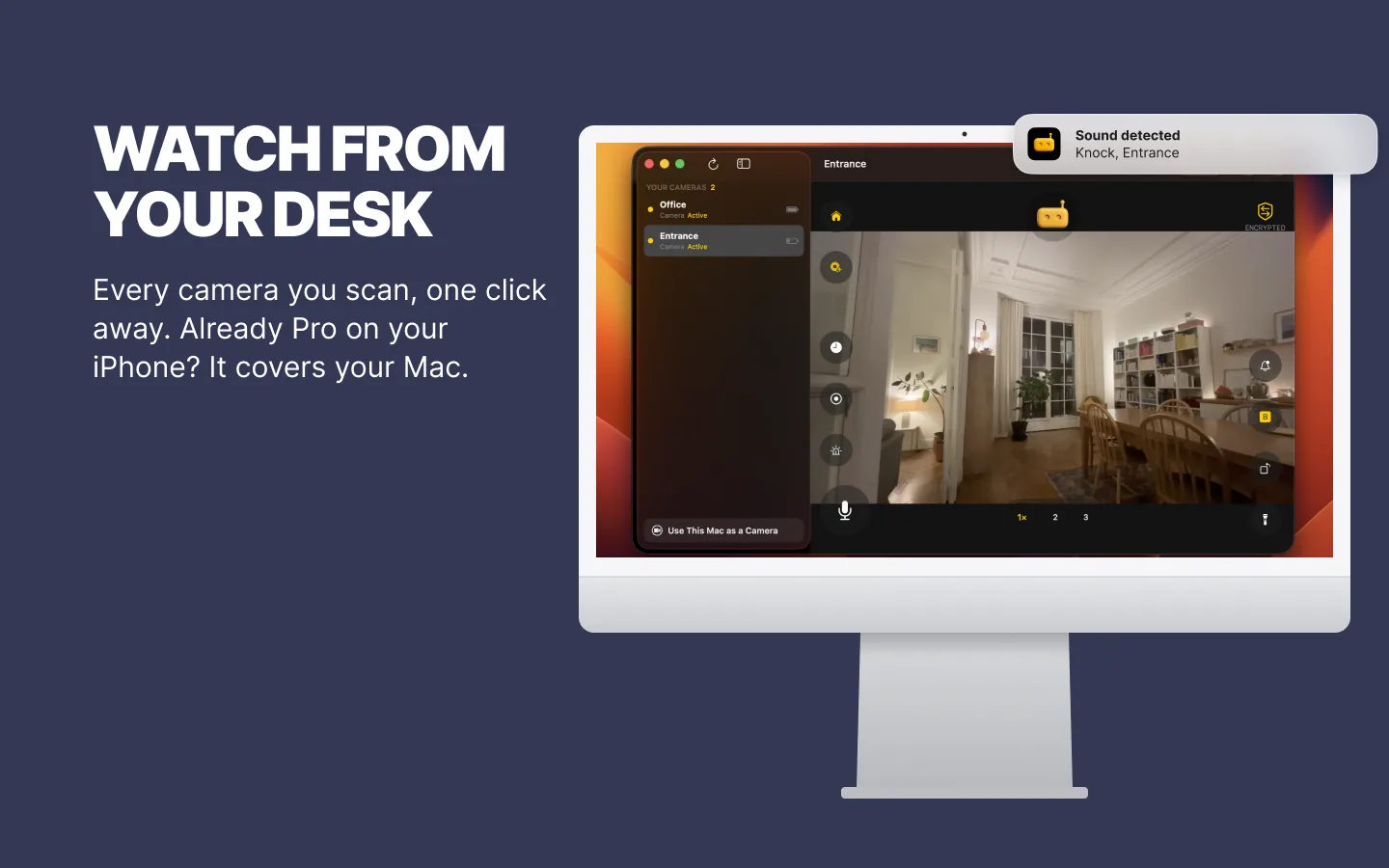
That’s the Mini Window, new in RECAM for Mac. The camera is a spare phone, or another device, in the room you care about. Your Mac is the screen. Glance at the corner, don’t switch apps.
What the Mini Window Is
Open a camera in RECAM on your Mac, then press ⌥⌘P, click Mini Window in the toolbar, or choose Camera → Mini Window. The window shrinks to a small video in the bottom-right corner of your screen. No sidebar, no buttons, no logo: only the picture.
It stays on top of your other windows, follows you to every desktop, and shows over apps in full screen. It works like picture-in-picture, but it’s RECAM’s own window, not the macOS picture-in-picture player.
The camera’s sound keeps playing. Hover over the video for a mute button, or press ⇧⌘M.
The Nap, in the Corner of Your Screen
A spare iPhone or Android phone on the shelf by the cot is the camera, and your Mac watches. With the Mini Window in the corner, one glance tells you she’s still asleep, without leaving the document you’re in.
You don’t have to keep staring, either. On the Baby Phone profile, baby face monitoring tells you when your baby’s face is no longer visible to the camera, for example when it looks covered, and a baby crying is one of the sounds you can arm. Those alerts land in Notification Center, even with the RECAM window closed.
Want a lullaby or white noise (Pro)? Double-click the Mini Window to get the full window back and start it from there. The rest of the setup is in the baby monitor guide.
The Dog, During the Afternoon
The pet camera in the living room runs the Pet Watcher profile: animal detection, with barking among the sounds you can arm. When the bark alert comes in, the Mini Window shows you whether it’s the postman or the sofa cushion losing a fight.
Want to say something? Push to talk (Pro) is in the full window: double-click, press ⌘T, say “basket”, send it, and it plays out loud in the living room. More ideas in the pet camera guide.
The Delivery, During the Call
A spare phone at a window that looks onto the front door shows you who comes up to it: what it can see, nothing more. When you’re on a video call in full screen, the Mini Window still floats over it, so you see the courier arrive without leaving the call. Its sound plays too, so mute it first (hover, or ⇧⌘M) if it’s noisy outside.
One thing to know before your next call: a floating window is part of your screen. If you share your entire screen, everyone in the call sees your Mini Window too. Share a single window instead.
Moving It, Resizing It, Getting the Full Window Back
- Move it. Drag it by the video, even while another app is in front.
- Resize it. Drag an edge. It keeps the camera’s shape and stops at a minimum size, so it never shrinks to a postage stamp.
- Get the full window back. Double-click the video, or hover and click Back to Full Window. With RECAM as the active app, Esc or ⌥⌘P does it too.
- When RECAM needs you. A dialog or a sheet brings the full window back by itself.
What You Need
- A Mac on macOS 13 Ventura or later, with RECAM watching cameras (the viewer role). The technical prerequisites list every device.
- A camera paired with it: an iPhone, an iPad, another Mac or an Android phone. A spare iPhone or an old Android phone is the usual choice. No spare phone? An old MacBook or iMac that stays home can be the camera, a different Mac from the one you watch on.
- That camera open in the player. The Mini Window shrinks what you’re watching.
- Out of full screen, and unlocked. The Mini Window isn’t available while the RECAM window is in full screen or while RECAM is locked.
What It Costs
Your first three days include live video and alerts. After that, both are part of RECAM Pro, a monthly or yearly subscription that also adds clip replay, the siren or a lullaby, and push to talk. One subscription covers your iPhone, iPad and Mac on the same Apple Account. Pro comes from the camera owner’s account, so the people they share a camera with need no subscription of their own.
The Honest Limits
- One camera at a time. It shows the camera open in the player. To switch, get the full window back and pick another.
- No buttons. Push to talk, the siren and clip replay (all Pro) live in the full window, a double-click away. Hovering shows only mute and Back to Full Window.
- Its sound plays out loud. The camera’s sound comes out of your Mac. Mute it (hover, or ⇧⌘M) before a call, or wear headphones.
- Your Mac has to be awake, with RECAM open. When you step away, alerts are what reach you: on the Mac in Notification Center, or on your phone if it watches the same camera.
- It shows when you share your entire screen. Share a single window on calls.
Put the Camera in the Corner
The Mini Window is one part of RECAM for Mac. Here’s everything that’s new, from keyboard shortcuts to making the Mac the camera.
Glance at the corner. Get back to work.
No account, no hub to buy, one QR scan.
FAQ
Is the Mini Window the same as macOS picture-in-picture?
It works like it: it floats on top of your other windows and follows you to every desktop and over apps in full screen. But it’s RECAM’s own window, not the macOS picture-in-picture player.
Can I watch two cameras in the Mini Window?
No. It shows one camera: the one open in the player. To switch, get the full window back and pick another camera.
Will people on my video call see it?
If you share your entire screen, yes: the Mini Window is part of your screen. Share a single window instead.
How do I get the full window back?
Double-click the video, or hover over it and click Back to Full Window. With RECAM as the active app, Esc or ⌥⌘P works too.
Can I hear the room in the Mini Window?
Yes. The camera’s sound keeps playing in the Mini Window. Hover over the video for a mute button, or press ⇧⌘M.
Can my baby monitor camera be an Android phone?
Yes. A Mac pairs with cameras on iPhone, iPad, another Mac or Android, with one QR scan.
Do I still get alerts if I close the Mini Window?
Yes. The Mini Window is RECAM’s main window, made small. Close it and RECAM keeps running from the menu bar, with alerts in Notification Center, as long as Keep receiving alerts when the window is closed stays on in RECAM’s settings. It’s on by default.